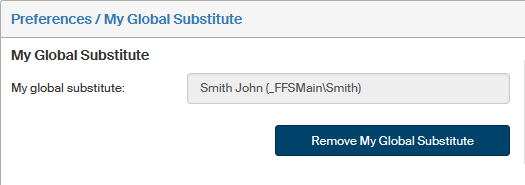
My global substitute
The window opened by clicking My global substitute on the toolbar My settings allows you to set your substitute, the person who will take over your forms in your absence, unless the form’s workflow rules specify otherwise. That is because substitutes set in a form’s workflow rules take precedence over a global substitute.

To set a global substitute, select a user from the list of users located on the right. You can enter the subject (user, group or role) name or a part of it in the quick filter field and click the magnifying glass button  to find your substitute more easily.
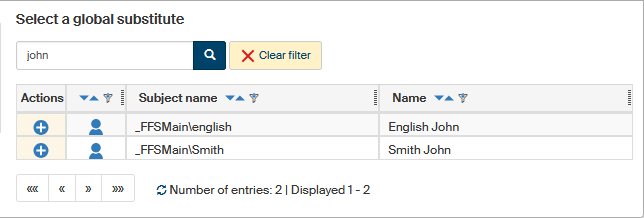
The application displays a list of subjects matching your search. Now go to the Actions column and select your substitute by clicking  Select the global substitute.
The button next to the selected substitute will change to  and the user will be displayed on the left, in section My global substitute.
It is only possible to have one global substitute at a time. It means that if you later set another global substitute, the current one will be replaced.
You can always remove your substitute by clicking Remove My Global Substitute.