Signature validation
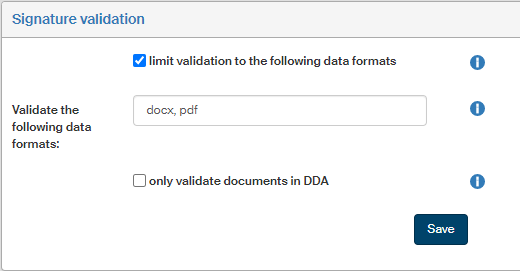
Use the Signature validation screen () to set up the default rules for validation signatures in various file formats.
-
Check Limit validation to the following data formats, DMS document version validation will be limited to specific mime types. If the checkbox is unchecked, all mime types are validated. If it is checked, only the mime types listed in the field Validate the following data formats are validated.
-
Use the field Validate the following data formats to specify which mime types to validate. Enter a comma-separated list of filename extensions. E.g.:
txt, pdf, xml -
If you check Only validate documents in DDA, versions will be analyzed only for those DMS documents (controlled documentation documents) that are stored in the Qualified storage – those where
LTD_ACCEPT_DOCU = 1is set.
Click Save to confirm any changes.