Common settings
Click Common settings to display several setting sections on the right. If you change any settings, click Save changes in the bottom right corner of the screen.
General settings
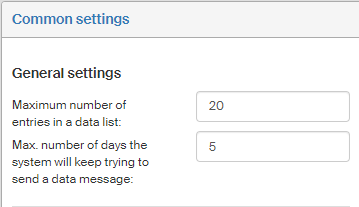
The General settings contain the following:
-
Maximum number of entries in a data list, meaning the maximum number of items available in a list type field in records management forms.
-
Max. number of days the system will keep trying to send a data message. The number specifies for how long the Records management will attempt to send the data message. If sending does not succeed before this limit is exceeded, the data message will not be sent.
Default message recipient
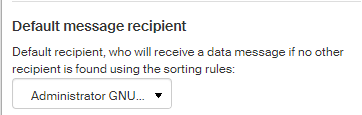
The default recipient serves as the last instance, meaning the user who will receive a form if no other user is found based on the recipient rules. Select the user from the list in section Default message recipient.
Mail room
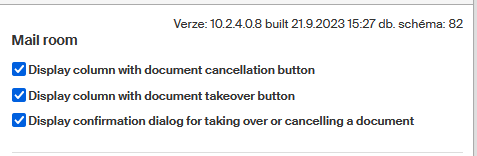
Select the controls to display on the Records management tab, in sections Incoming mail and Outgoing mail.
-
Check Display the column with a document cancellation button to display this option in the document list. It is only possible to cancel e-mail and paper mail documents.
-
Check Display column with document takeover button to display this option in the document list.
-
Check Display a confirmation dialog when taking over or canceling a document to enable confirmation dialogs.
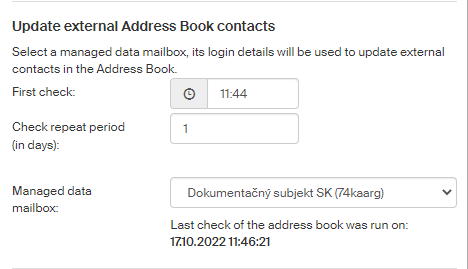
Update external Address book contacts
This setting applies if at least one Slovak entity is in use.
The following values can be set in section Update external Address book contacts ():
-
First check – time when new contacts in the Slovak data mailbox address book are checked.
-
Check repeat period (in days) – number of days when new contact check in the Slovak data mailbox address book will be rechecked.
-
Managed data mailbox – select the Slovak data mailbox that will be used when connecting to check the address book contacts in the Slovak data mailbox system.
Settings for Slovak data mailboxes
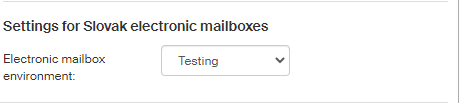
If at least one Slovak entity is in use, the following values can be set in section Settings for Slovak electronic mailboxes ():
-
Electronic mailbox environment – select the environment where Slovak data mailboxes will connect; the options are Testing, Live and Development.