Entity groups
Contacts are grouped in the Address book based on the entities they belong to. There can be a separate address book for each entity, or several entities (even all of them) can be grouped together and share a common address book. Visit the screen Entity group management () to create such groups and attach entities to them.
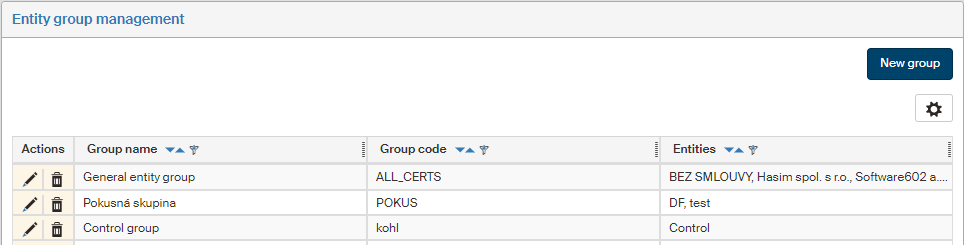
The screen displays a list of existing groups. Use the buttons in the Actions column to manage the entries:
-
Click
 to display the group edit dialog.
 -
Click
 to remove the group entry.
Use the button  placed on the right above the table to display the filtering and sorting limits for this list. The settings are described in more detail in chapter Grid administration.
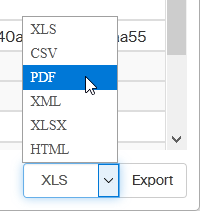
You can also click the Export button below to export the entity list to a file in a selected format. Select the format from the list on the left from the Export button.
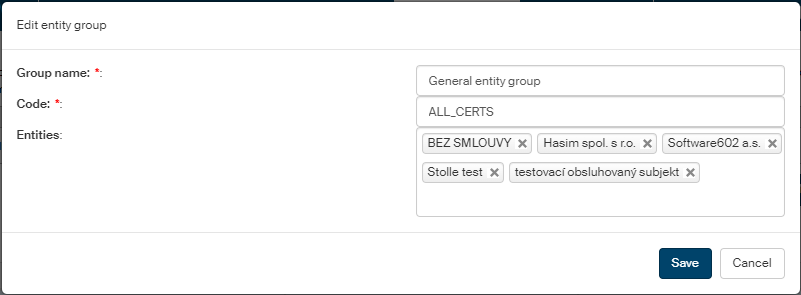
Click New group above the list of existing groups or click next to an existing group to display a dialog to create or edit group properties. Besides the title, the two dialogs are the same.
-
Text entered in the Group name field will be displayed in the Entity group list in the Address book.
-
A group must also have its unique Code.
-
In Entities, select all entities to be included in this group. These entities will share the same address book.
Click Save to confirm insertion or changes.