Displaying documents and records that have passed a shredding procedure
Shredded records and documents are displayed differently.
Records
Let us consider a record with the retention code S assigned. You can find it at .
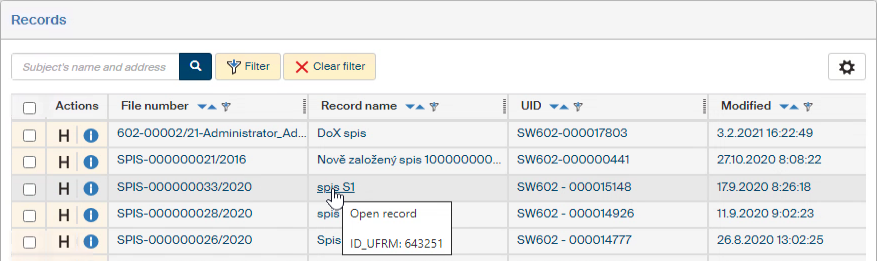
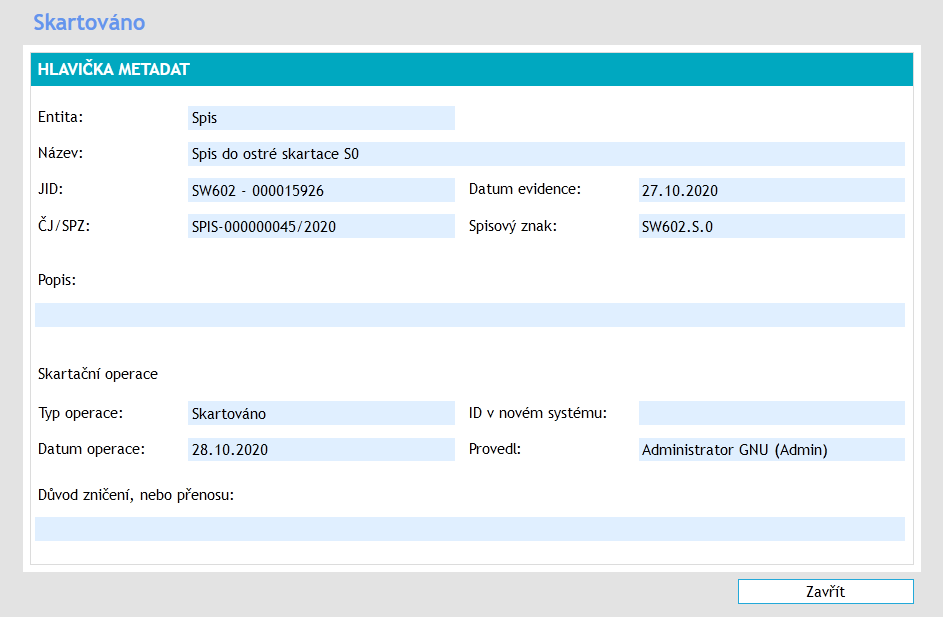
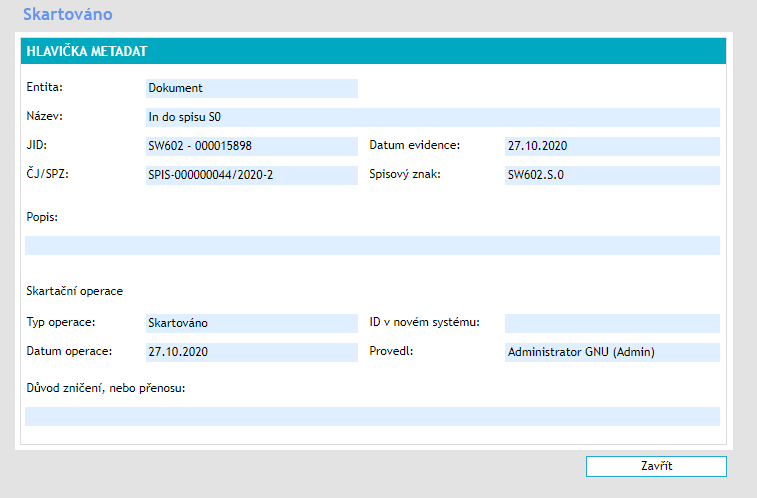
If you click the corresponding item, a window with details of the shredding procedure is displayed instead of the typical record form where it was created and processed. The retention code S means that a shredding (destruction) of the record was selected. The Shredded window therefore lists – Operation type – Shredded.
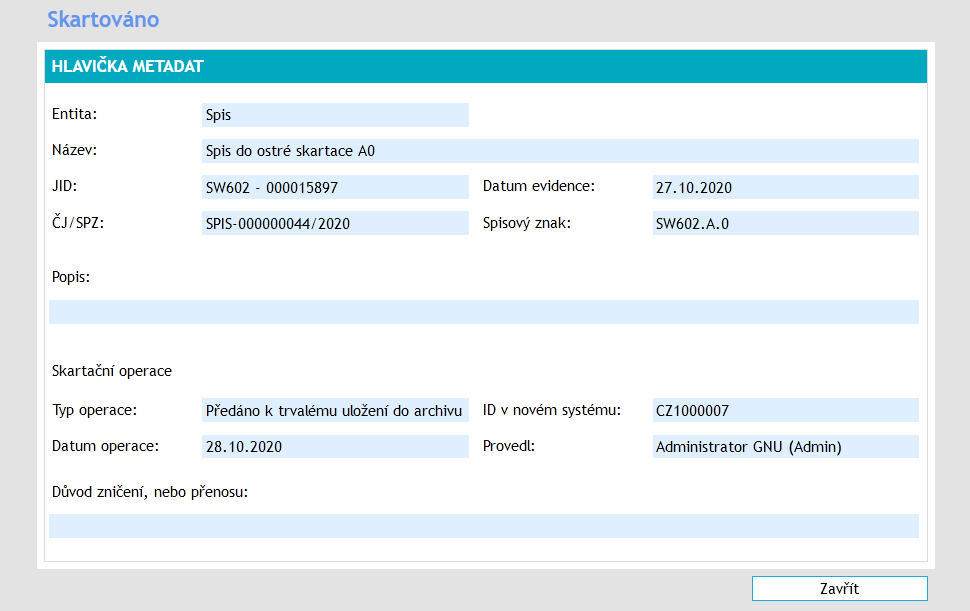
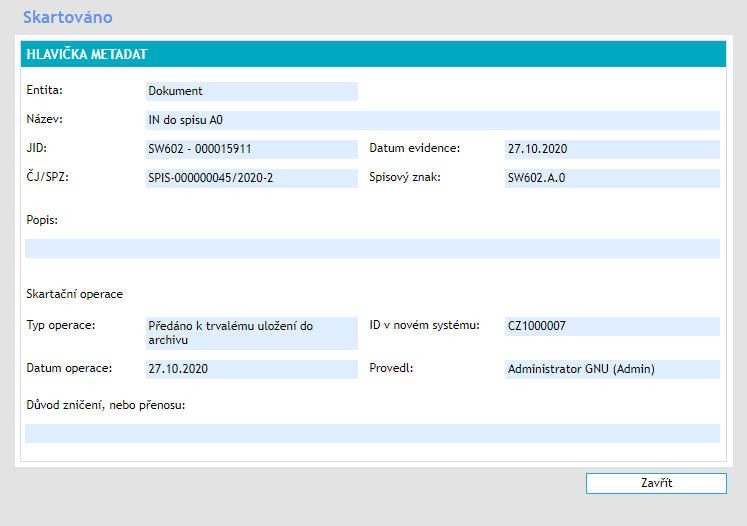
If the retention code A was selected, the record is handed over to the National Archive during the shredding procedure. The Shredded window then lists – Operation type – Handed over for permanent storage in the archive. The ID in the new system is also given here, meaning the ID that the National Archive is using now to store the record.
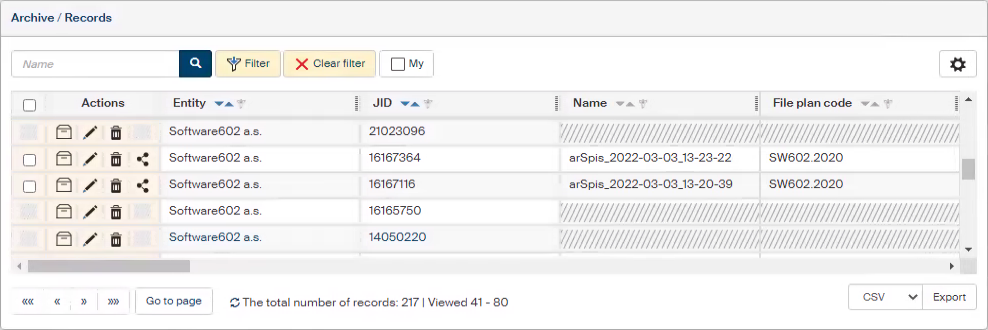
When viewing the overview in , some details for the entries are unavailable and some buttons in the Actions column are hidden too. This is caused by metadata anonymization. Some metadata have anonymized values now, displayed in gray or hatched.
Documents
Documents from the Electronic records management service (RMS) that have passed through the shredding procedure are handled similarly to records. Instead of their form, the Shredded window is displayed when you click the item. The following image displays a window for a document that comes from a record with retention code S, which has been shredded (destroyed).
The next image displays a document that comes from a record with retention code A and is now stored in the National Archive.
The document entries in the list have some of their metadata anonymized.
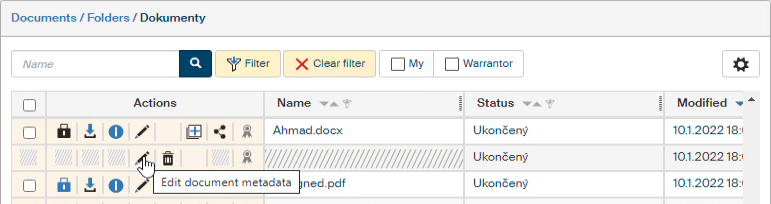
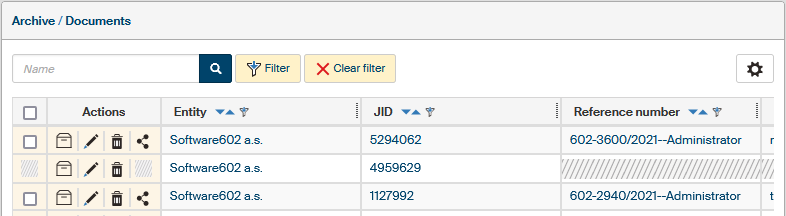
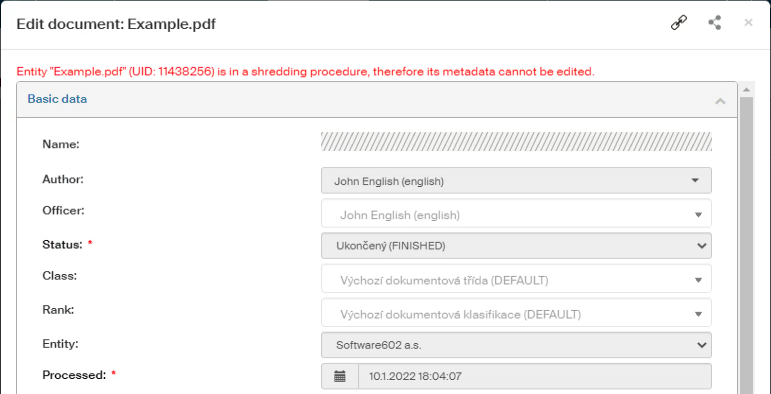
Some metadata is also anonymized for DMS documents that have passed through a shredding procedure. The hatched fields are anonymized metadata, the image shows a shredded document (retention code S).
Entries in the Archive lists are anonymized too.