Dashboard
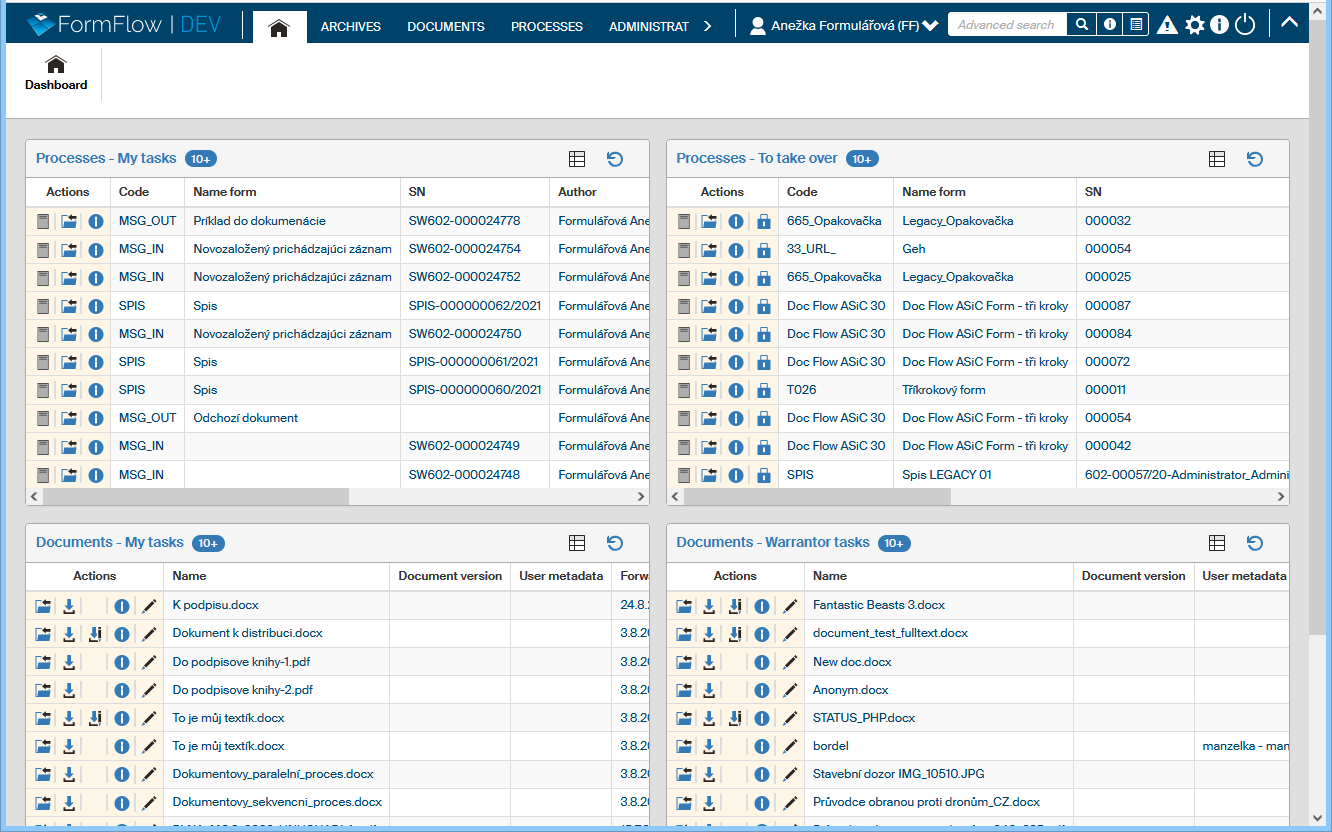
The DASHBOARD tab, indicated by the house icon  , collects interesting information from FormFlow on a single page. For example, it displays documents and processes waiting for you to process them.

The window consists of several panels and each of them contains a table with one kind of data (e.g. Processes – to be processed by me). The table is organized in a way similar to the original overview (e.g. to the table on the PROCESSES tab).
Users with the appropriate permission – typically the FormFlow administrator – can adjust the DASHBOARD tab contents. In particular, they can set which users will be able to see which panels. They also set the contents of the Quick access panel.