Creating a new entity
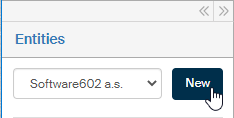
Click the New button in the left panel next to the entity selection field to create a new entity.
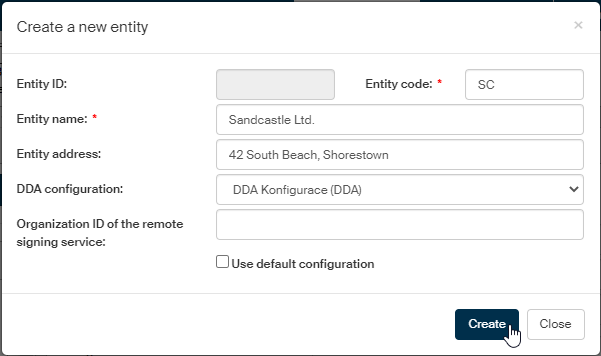
The dialog Create a new entity is displayed with fields to enter its basic properties.
-
The Subject ID field is empty and not editable – FormFlow will assign its value when the entity is saved.
-
Subject code can be any string; its value will be used in the reference number.
-
Use the following fields to enter the organization name in Subject name and optionally also its address in Subject address.
In this field, the whole address is placed in a single line.
If you prefer using a structured address, do not enter it at this point. When you have saved the entity, use the button Address for bulk posting form to enter the address lines individually.
-
DDA configuration – select the setting to use for long-term document preservation.
-
Organization ID of the remote signing service – enter the ID you will receive from Software602. If you are interested in remote (server-based) signing, contact a Software602 representative and request a registration at the Czech Post (Post Signum). When the registration is complete, you will receive an organization ID and your users will be able to request certificates. The remote signing service does not function without this ID. The ID must be unique in FormFlow and must not be used for more than one organizational units or entities – it would cause an error state.
-
Check Use default configuration to apply basic configuration for the data mailbox using default values.
Click Create to create the entity.