Finding duplicate entries
You can check for duplicate entries in the address book. They might have been created e.g. by looking up in the ARES or DMIS database, and it can be useful to check whether to keep them or delete some of them.
To request a list of duplicate entries in FormFlow, click the Display duplicates button on the toolbar on the ADDRESS BOOK tab.

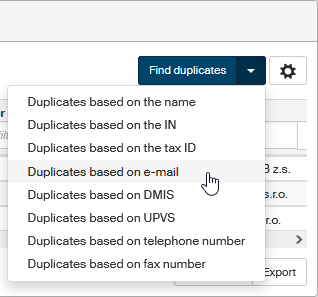
If you would like to create a new list of duplicates based on a different key, click the arrow next to the Find duplicates button when duplicates are displayed. You can search for duplicates based on the name, identification number, tax ID, e-mail address, data mailbox ID, UPVS ID, telephone and fax number.
Select a type and click it to create a list of duplicates. FormFlow will register the request and pass it on to the corresponding background service, then the list is created.
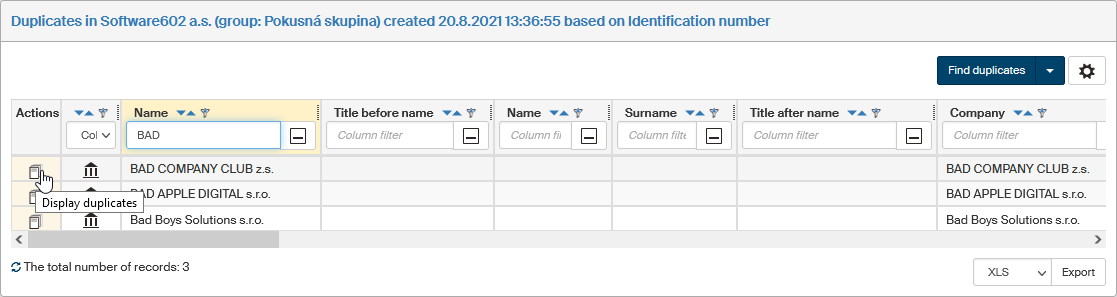
Creating the list of duplicates may take a while. Then it is displayed in the window with the creation date and time displayed.
Date and time of the last build of the list of duplicates is also displayed next to the button Display duplicates.
