Addresses
The window opened by going to My settings and clicking Addresses allows you to specify any number of your addresses.
The column on the left (Default address) displays the address you have selected as your default (main) address, the section on the right (List of addresses) contains all the addresses you have entered in FormFlow.
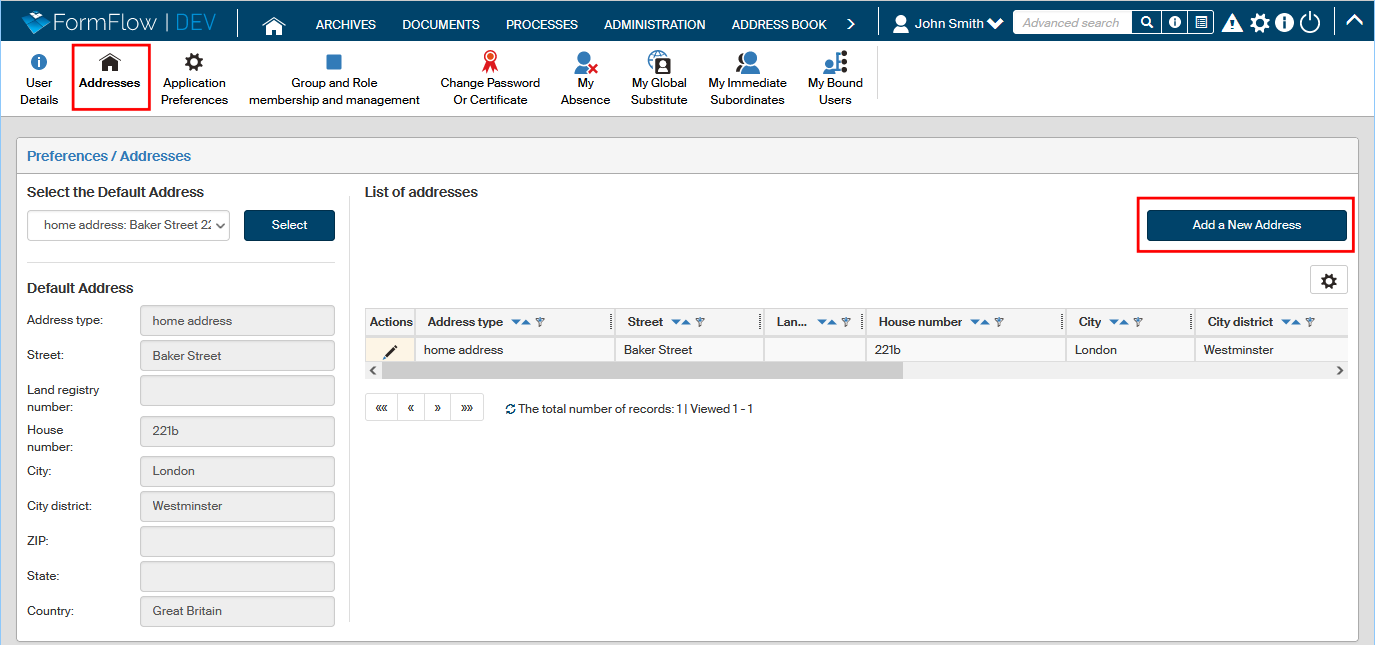
You can add another address entry by clicking Add a new address.
A dialog window is then displayed, where you can enter the address details. The drop-down menu Address type allows you to select whether it is a home address, work address or other. Then enter the address details in the following fields.
When the address is complete, confirm it by clicking Save address.
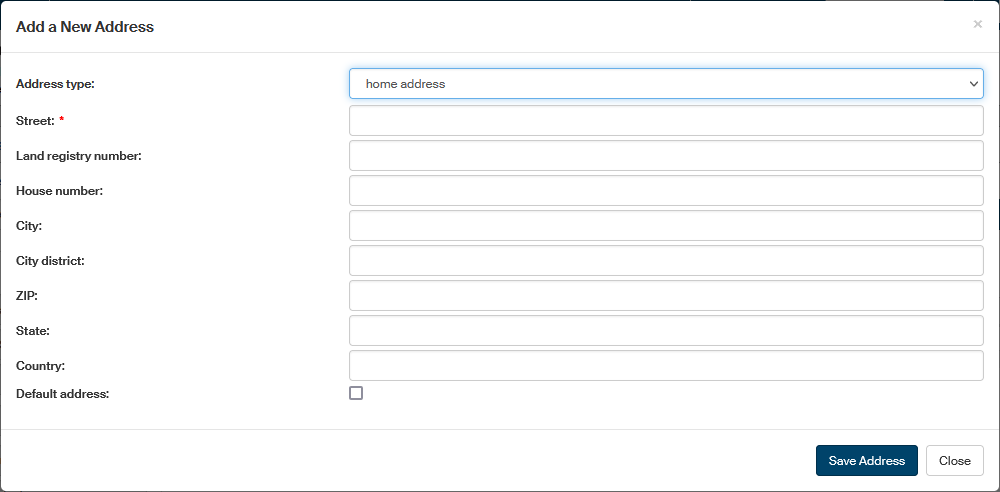
You can use the Add a new address button to enter any number of addresses.
The list of addresses is displayed as a table. The Actions column contains buttons to manipulate the individual entries:
-
 Edit address – displays the Edit address dialog window containing the address details and you can adjust them here.
 -
 Delete address – removes the address entry.
One of the addresses must be set as default. To select it, use the Select the default address option in upper left part of the Addresses window. Details of the selected address are then displayed in section Default address, placed below.