Bulk configuration
The Bulk configuration button on the ADMINISTRATION tab offers several functions that allow changing the settings for a whole group of users at once. There are three options available:
-
Bulk configuration – change users' application settings in bulk;
-
Immediate superior– set the immediate superior for all users in a group;
-
User certificate bulk edit – set or delete a user certificate for the selected group of users.
Bulk configuration
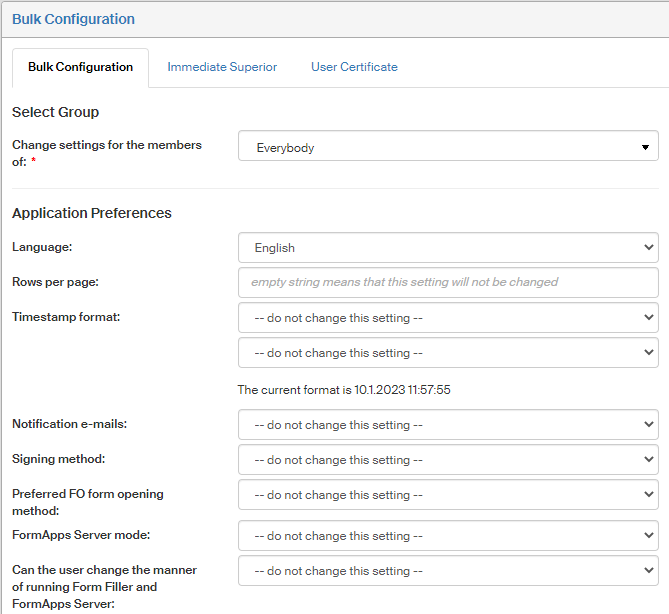
The Bulk configuration screen () allows you to change the users' Application settings for a whole group.
First, use the option Select group to specify which users will be affected by the change. Then go to the group of options Application settings and specify the settings you would like to set; the rest will stay unchanged. You can find the description (meaning) of each individual settings in chapter Application settings.
Click Save changes to confirm the change.
Immediate superior
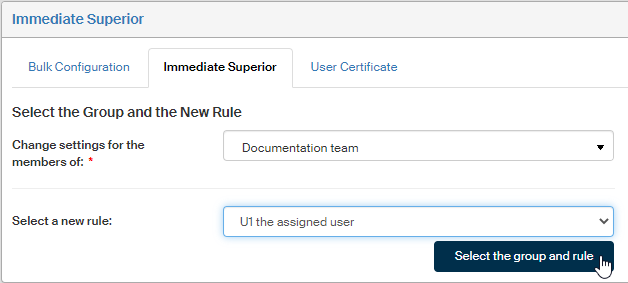
Use the screen Immediate superior () to assign an immediate superior to a group of users.
Select the group of users who will receive an immediate superior and the rule type in the corresponding fields. Then click Select the group and rule to continue to the second step. Based on the selected rule, look up a specific user, group or role now to specify the superior. The rules for specifying an immediate superior are similar to those used when setting up a single user, as described in chapter Immediate superior.
Bulk modification of user certificates
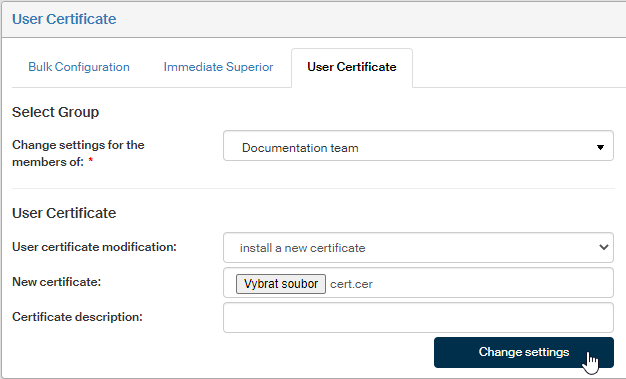
The screen User certificate () allows setting a user certificate for a whole group of users at once.
Start by selecting the users whose certificate will be edited in section Select group.
Then go to the field User certificate modification and select whether to install a new certificate or remove an existing one. If installing a new certificate, select the certificate file in CER or DER format in the field New certificate, and you can also enter additional details in the field Certificate description.
Confirm the changes by clicking Change settings.
You can find more details on user certificates in chapter Login using a certificate.