Deleting and restoring documents
Only the document author can delete a document. When viewing the list of documents in a document folder, the trash bin  Move to trash icon is displayed for the documents you have created.
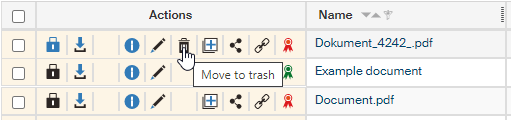
To prevent accidental deletion, a confirmation dialog is displayed first: Are you sure you want to move the document to trash?
If you check one or more files, you can delete them all at once by going to the Bulk operations window and clicking Move to trash.
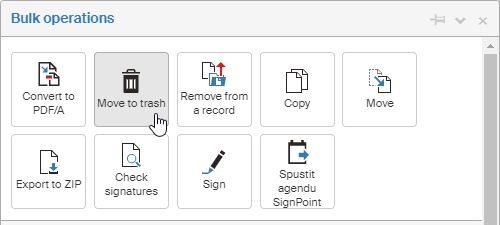
The deletion process is similar to deleting files in Windows. The deleted document is “moved to trash” first and then the trash can be emptied. Or you can restore documents from the trash.
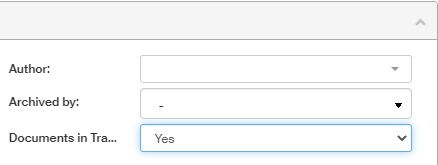
There is no separate Trash folder in FormFlow, the deleted files stay in their original folder, but they are hidden. To view them, use the filter: Click Filter to open the Advanced search screen on the Filter tab and set Documents in trash to Yes.
If you use this view often, consider saving this filter setting as a new button next to the other filter controls. In Advanced search, click Save. In the dialog Save as a new set, name the filter (for example Deleted), check Display as tag and save.
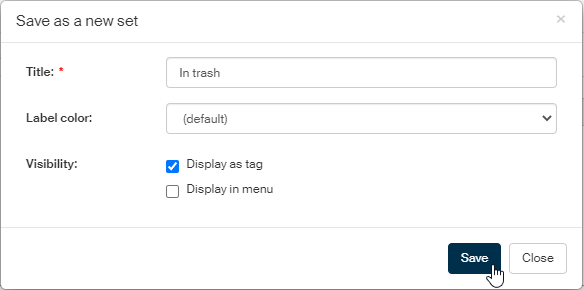
A new button is created, and you can use it to easily display the Trash contents in the folder.
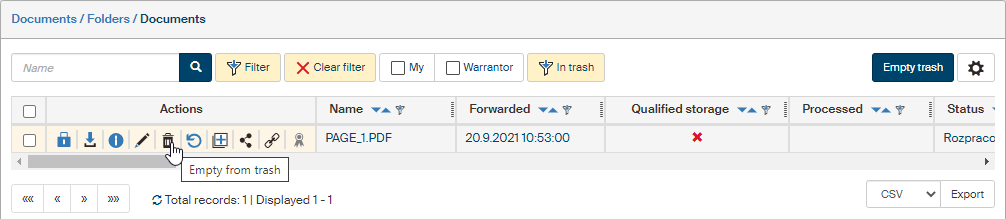
-
The trash bin
button now means Empty from trash and clicking it will delete the document permanently. -
Alternatively, you can click the button next to it,
 Restore from trash. Confirm the query Are you sure you want to restore the document? and the document is restored – now it will be visible in its original folder as before the deletion.
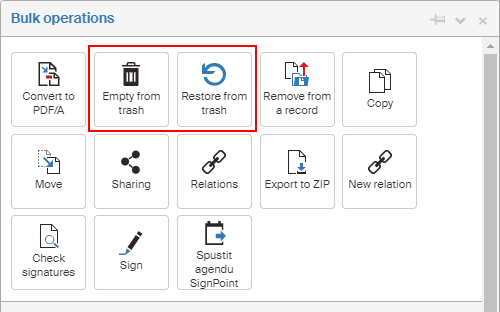
It is also possible to select more than one document and restore them or permanently delete (empty from trash) all at once using the Bulk operations window.
| If a DMS document is placed in the archive and then moved to trash from there, the document will be also moved to trash in the DMS section, because they are the same document. |