System events
The System events section contains several panels containing various information on system operation to which the administrator should pay attention. It is only available to selected users: those who are assign the ltvAdmini role or are members of the Administrators group.
The button  placed in the upper right corner of the page notifies of system events. Click the button to display the page with system event overview.
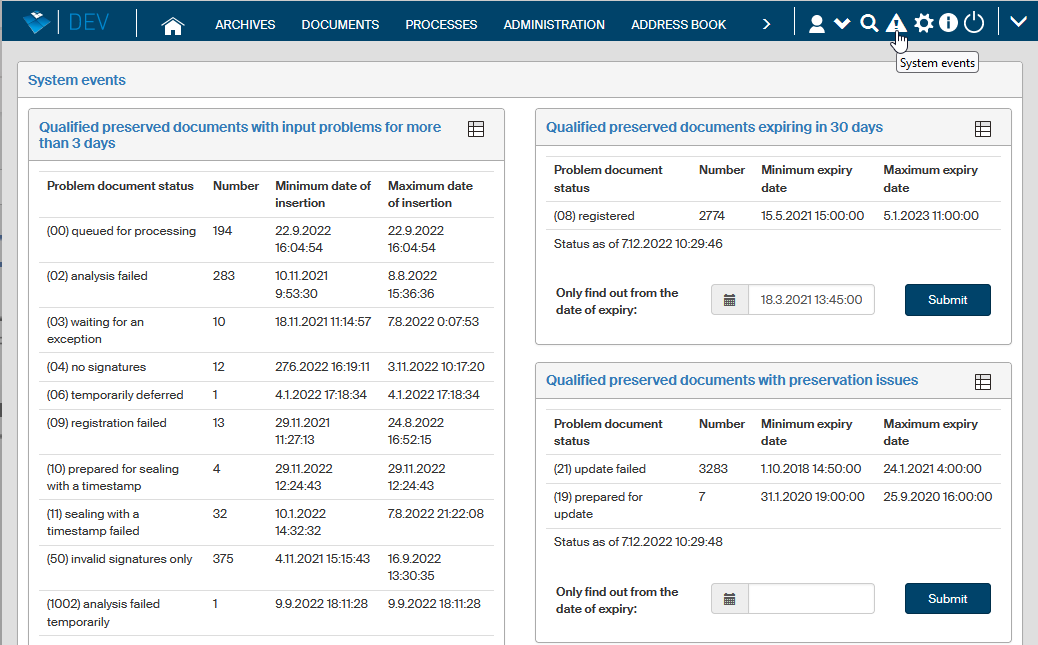
Some of the panels are related to long-term preserved documents. They display the number of documents registered in one of the problem categories, sorted by document status:
-
Qualified-preserved documents with input problems for more than 3 days.
-
Registered qualified-preserved documents expiring in 30 days.
-
Qualified-preserved documents with preservation issues.
-
Qualified-preserved documents with long-term preservation turned off, but previously processed.
Other panels available are:
-
Expiring or expired electronic seals.
-
Uncreated AIP packages more than 3 days after the form is finished (sorted by form type).
-
Unavailable external services used by the qualified preservation service.
-
Users.
-
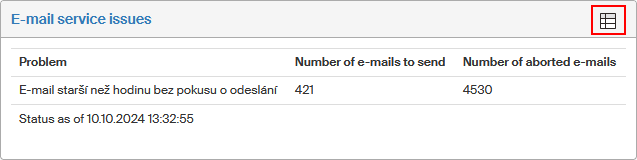
E-mail service issues
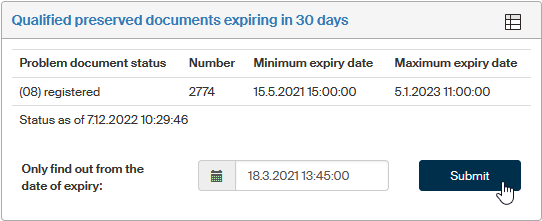
The data in the panels applies to current date and time. To display the data as of another point in time, enter the date and time in the field in the lower part of the panel and click Submit.
To view specific objects (documents, e-mail, etc.), select the button in the upper right corner of the panel.
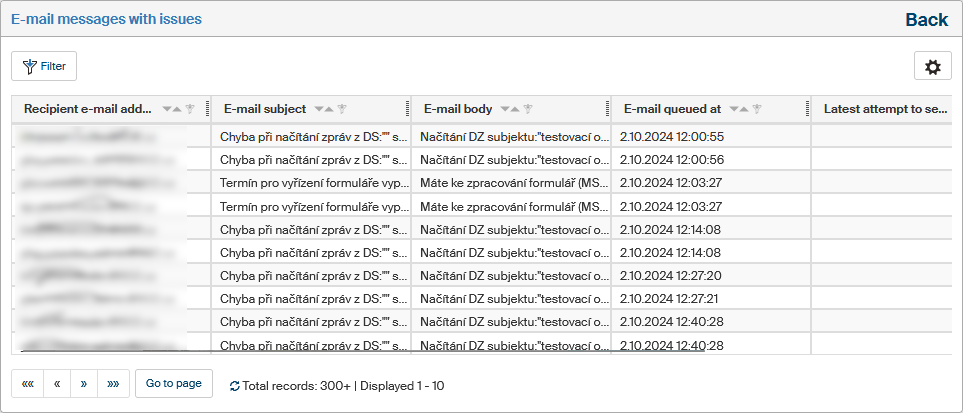
The next window displays a list of all object with an issue in the given time span.