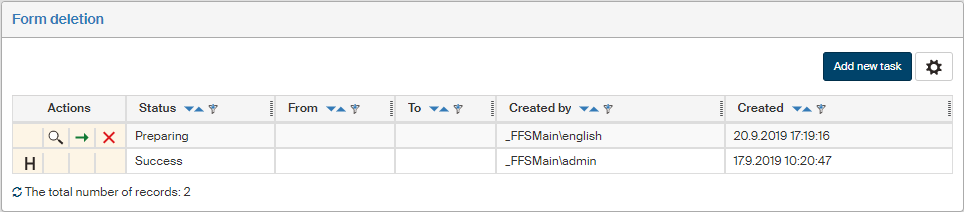
Form deletion
The Form deletion screen () is used for shredding, which means the removal of old, no longer needed forms from FormFlow. This operation cannot be taken back, so as a precaution it requires the cooperation of two users: one to propose the deletion and the other to confirm it. Only then the selected forms will be removed.
If a form has a retention period set and still running, it is not offered for deletion, and it is not possible to remove it this way.
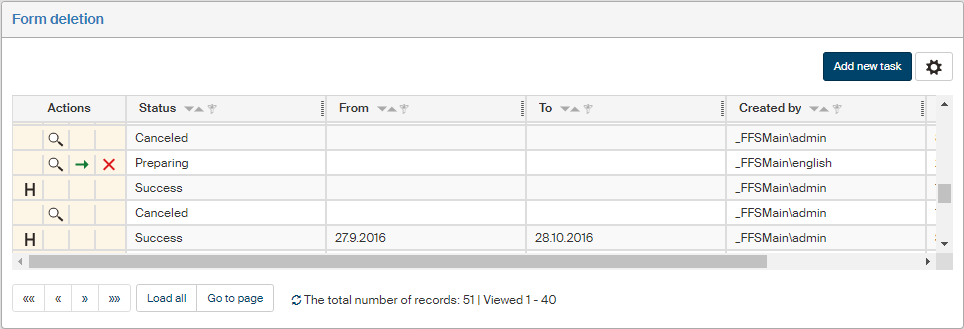
New task
To start a new deletion task, click the Add new task button placed on the upper right. A form selection dialog is then displayed.
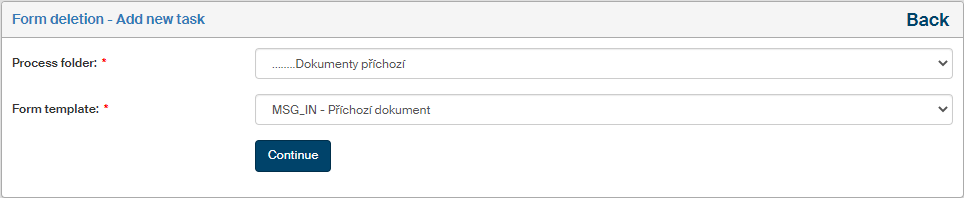
-
Process folder – select the folder where to look for forms.
-
Form template – select a template to look up forms created from this template.
Click Continue.
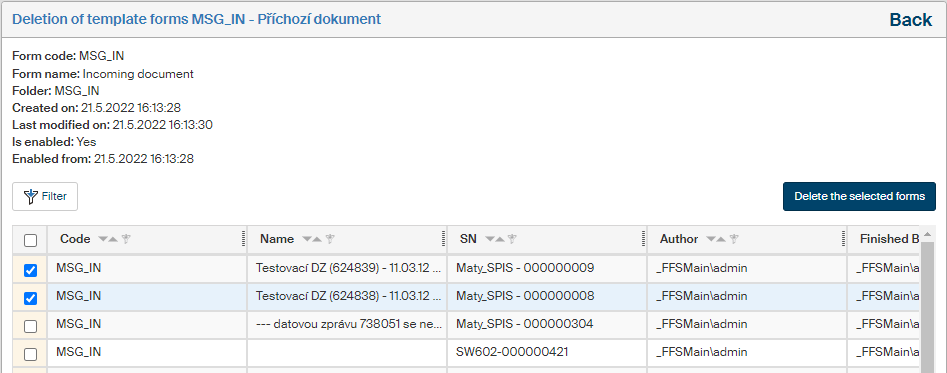
When a template is selected, its details will be displayed along with a list of corresponding forms.
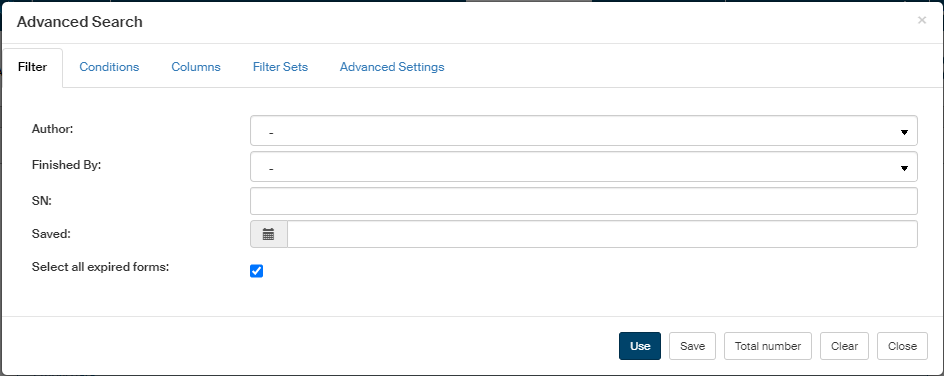
You can narrow down the selection using the Filter button. It will display a dialog with filtration options, including:
-
Saved – enter the time period from which to select forms for deletion.
-
Select all expired forms – the system will check the retention period of all forms from the specified time period and only select those that have already expired. If this option is unchecked, all forms from the specified time period will be displayed.
In the list of forms, check those you want to delete. The checkbox placed in the header can be used to check all currently displayed forms.
Then confirm the selection by clicking Delete the selected forms. The list of selected forms will be placed on the list of deletion tasks, with the status "Preparing". At this point, the deletion can still be canceled and the forms kept. As soon as the action is confirmed by another user, it cannot be taken back.
List of form deletion tasks
The list of tasks in the screen Form deletion displays all already created deletion tasks and their status. Based on the status, the Actions column provides the following buttons:
-
 Display the protocol – only for the executed tasks, displays a dialog window with text information on the deleted forms.
 -
 Display the forms – only for the tasks in preparation, displays a dialog window with a list of forms to be deleted.
 -
 Confirm and execute – only for the tasks in preparation; clicking this button will delete the selected forms. This operation is irreversible, after the confirmation the forms deletion is final.
 -
 Cancel – only for the tasks in preparation, deletes the task and cancels the prepared form deletion.