List of temporarily locked user accounts
Access the screen List of temporarily locked user accounts by going to . Only users with the corresponding permission can access the command and view the list.
To improve user password security, the administrator can set up requirements on using passwords. The requirements are set up using the screen : if the box temporarily lock a user account, if an incorrect password is used on login is checked there, the temporary user account lock described here will be triggered for users who have attempted to log in using an incorrect username or password. Only an administrator can then unlock the account for the user.
The list of locked accounts can be filtered by the IP address (the REMOTE_ADDR_LCAC entry), login name (DOMAIN_AND_LOGIN_NAME_LCAC) and whether the given pair is currently being locked (that is, based on the value in column ACCOUNT_LOCKED_UNTIL_LCAC – the NULL value means “not locked”, a value of DATETIME type means “locked until the given date and time”). The list basically displays the contents of the XG_LCAC table. The list can be ordered by any column.
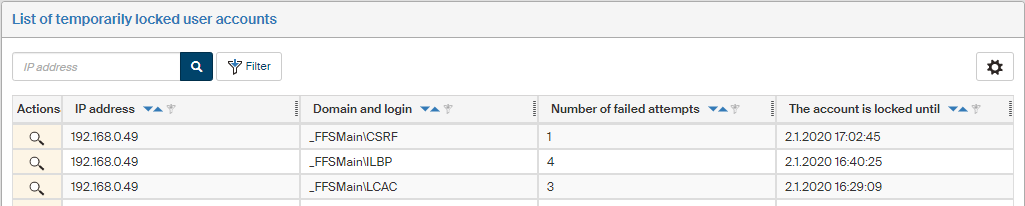
The Actions column contains the  List of failed logins button for each entry, which opens a list of failed attempts for the given combination of IP address and login name.
The list is displayed in a pop-up window.
List of failed logins button for each entry, which opens a list of failed attempts for the given combination of IP address and login name.
The list is displayed in a pop-up window.