Settings
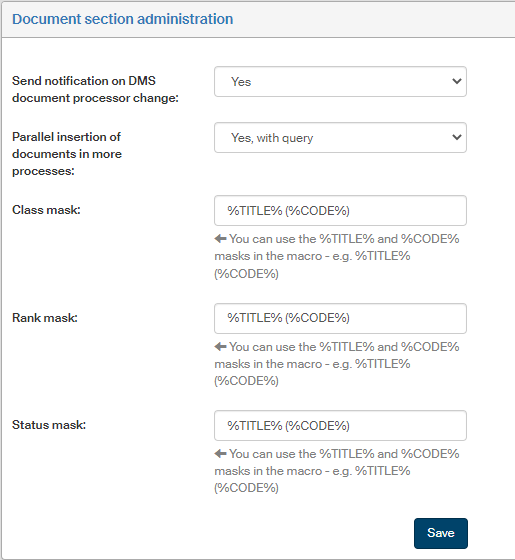
Open the Document section administration screen by going to to set up several options related to document administration in FormFlow.
Use the option Send notification on DMS document processor change to select whether to send e-mail notifications when the user processing a DMS document changes (Yes) or not send any (the option No).
Use the field Parallel insertion of documents in more processes to select whether to allow insertion of a single DMS document in more than one process at the same time (the options Yes and Yes, with prompt) or not allow (the option No). The default setting is Yes.
Use the three fields Class mask, Rank mask and Status mask to select how to display the name and code for a class, rank and status when displaying document forms. The macros can include the masks %TITLE% (name) and %CODE% (the unique code) – for example:
%TITLE% (%CODE%)