Document information
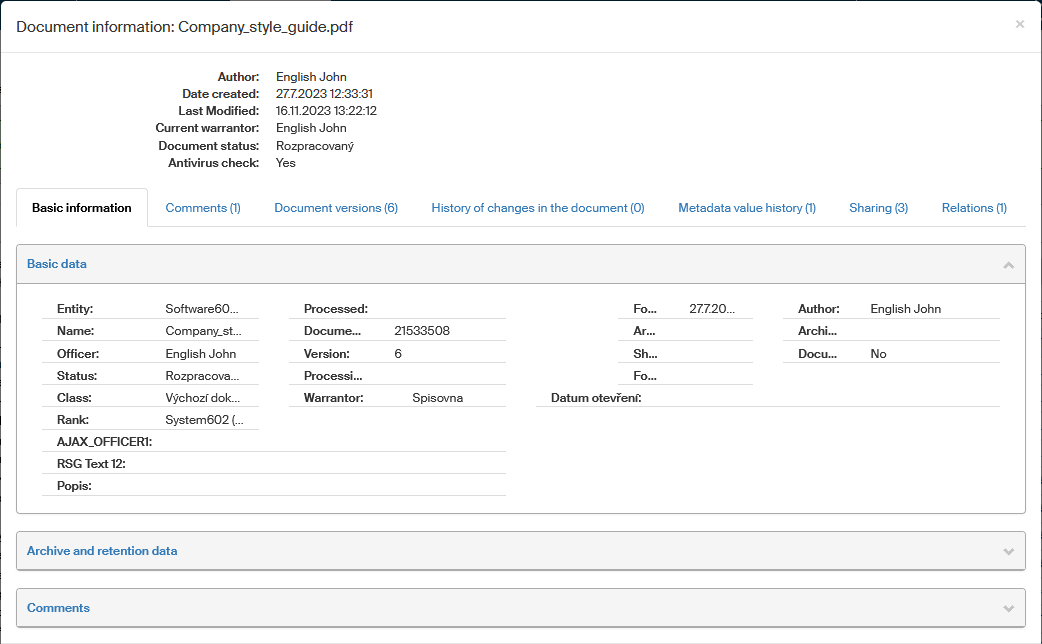
Click the  button in the Actions column next to a document to display the Document information window. It contains the document’s basic details, its metadata and other information related to processing progress. The details displayed in this window cannot be changed, it is just for your reference.
The upper part of the screen displays basic information, such as the document name, its author, processor and current status. The dates of creation and last modification are also included.
The rest of the screen is divided to several tabs, titled Basic information, Comments, Document versions, History of changes in the document, Metadata value history, Sharing and Relations. The number placed in brackets after the tab title specifies the number of entries on that tab (for example the number of comments for the document).
Basic information
Select Basic information to display the tab containing all metadata kept for the document.
The list is for your reference only; to edit the metadata, use the metadata editing screen instead. You can display it by clicking  in the document list. For more details, see chapter Document metadata.
Comments
If there were any comments attached to the document, you can view them on the Comments tab.
To add a comment:
-
Display the Bulk operations screen (by checking a box in the document list, as described in chapter Editing metadata).
-
Display the Document metadata screen (click the
button in the document list, as described in chapter Document metadata).

Document versions
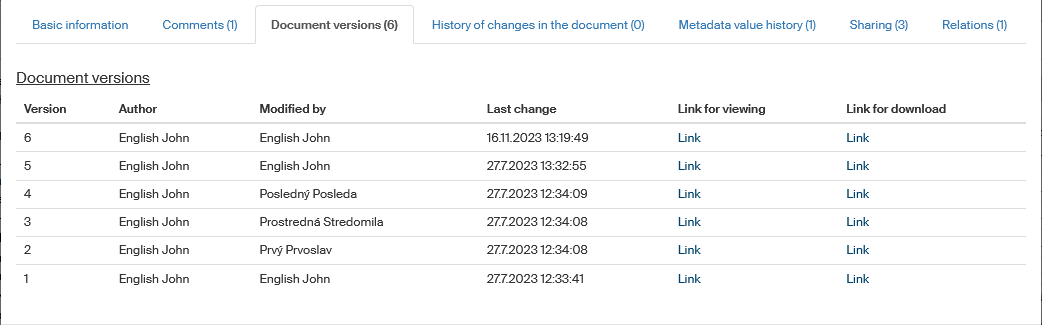
The Document versions tab lists the details on various versions of the document. If there is more than one version of the document, the tab will list links to each one of them including the author and the date of last change in the version.
|
If the document has not been checked by the antivirus, a message such as Version 1: The file has not been checked by antivirus yet will be displayed along with the Check file button, so you can check the file immediately. |
History of changes in the document
The tab History of changes in the document contains a list of events in which the document status changed. It only contains the status change history, the officer and warrantor.
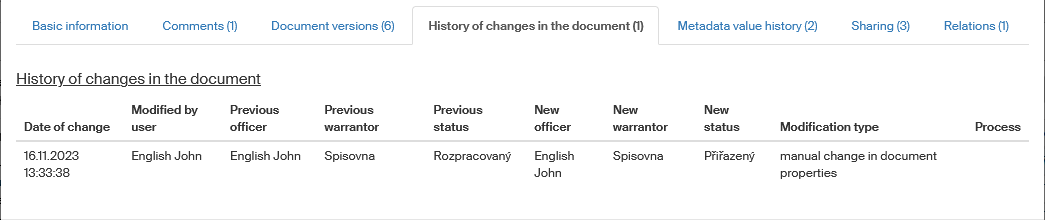
The date and the user who performed the change are listed for each event.
Metadata value history
For some metadata types, their previous values can be kept in FormFlow. The list of their changes is then available on the Metadata value history tab.

Document sharing
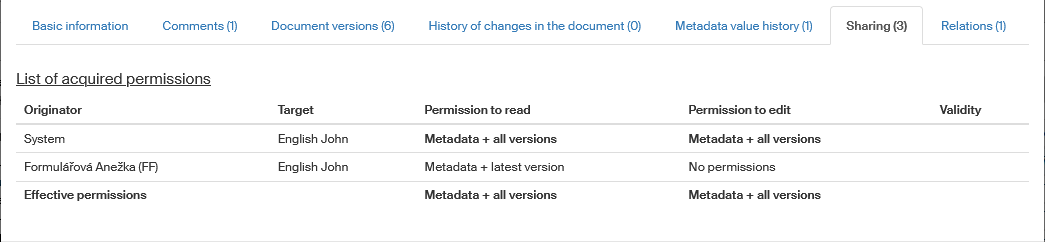
The Sharing tab lists if and how this document is shared. The details include who shared the document to whom, what permissions to the document were granted and when the sharing expires.
Document relations
Details on the Relations tab display all relations created for the document. The number in brackets following the tab name is the number of relations for the document.
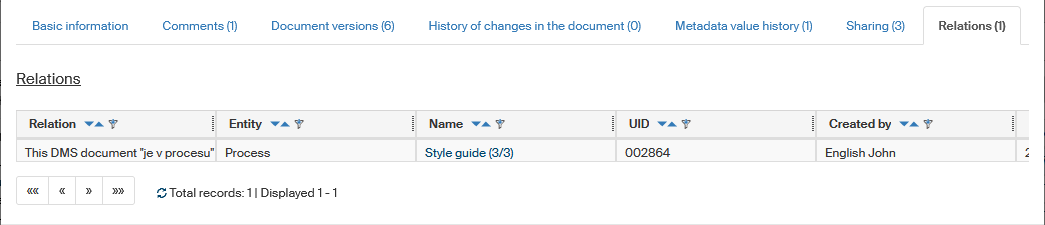
The list displays the same contents as the list described in chapter The Relations dialog.