Groups and users assigned to an entity
On the left panel in the Entities screen (), make sure the entity you want to edit is selected in the Entities list. Then go to Menu and click Groups and users. The screen Groups and users (entity name) is displayed on the right. Use this screen to select a group whose members will be assigned to the entity, and create the corresponding settings.
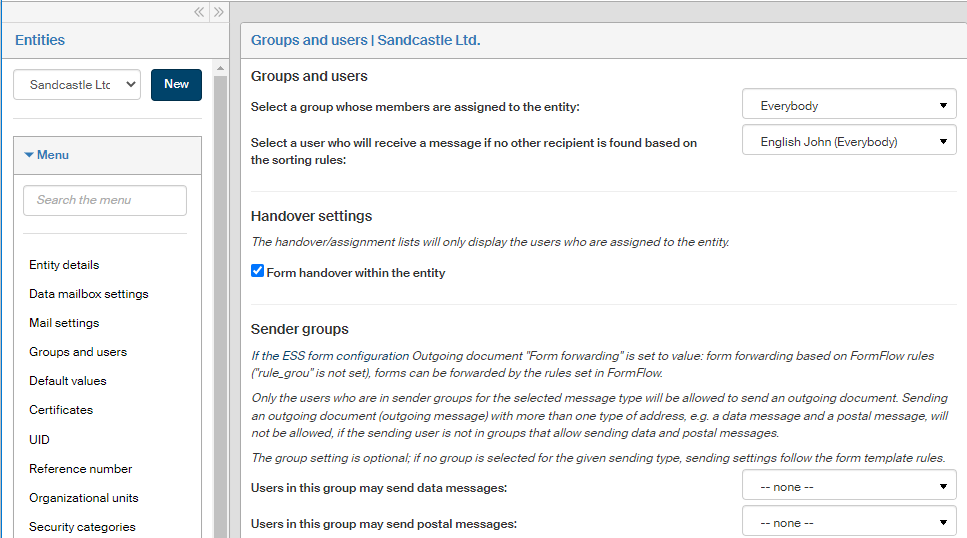
Groups and users
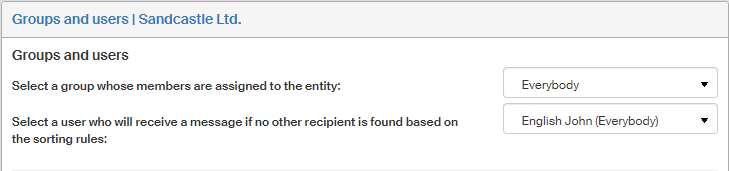
Section Groups and users in the same-titled screen provides two controls:
-
Select a group for the Electronic records management; the group members will be attached to the entity and its data mailbox. The users will then be able to handle the entity’s operation. Select the group in field Select a group whose members are assigned to the entity.
-
In field Select user who will receive a message if no other recipient is found based on the sorting rules, select a specific user who will receive a message if there is no applicable message sorting rule available to find a recipient for the message.
Handover settings
In section Handover settings, check or uncheck Form handover within the entity. If it is checked, lists of users available for handover/assignment will only display the users who are assigned to the same entity. The group setting will be always visible and will not depend on a checkbox as was required before.

Sender groups
In section Sender groups, set up how paper mail as well as data and e-mail messages are sent depending on group membership.
If Form forwarding for outgoing documents in records management configuration is set to value: form forwarding based on FormFlow rules (“rule_grou” is not set), forms can be forwarded using the rules set in FormFlow.
To review the configuration, visit , locate the MSG_OUT - Outgoing document entry on the right and click  Edit form configuration. In window Edit configuration, locate the field Form forwarding.

Sending and outgoing document is only available to users who are members of the sender group specified for sending the corresponding message type. Sending an outgoing document with more address types (outgoing messages), e.g. a data message and traditional paper mail, will not be allowed if the user sending the message is not a member of groups for both sending data messages and paper mail.
The section contains three fields:
-
Users in this group may send data messages.
-
Users in this group may send postal messages (traditional paper mail).
-
Users in this group may send e-mail messages.

The group setting is optional; if no group is selected for the given sending type, sending settings follow the form template rules.
Groups for processing and sending documents
If in Electronic records management configuration for an Incoming document or Outgoing document, option Form forwarding is set to forwarding based on membership in a group assigned to the entity (“rule_grou”), forms can only be forwarded to users who are members of the group attached to the entity.
To review the configuration, visit , locate the MSG_OUT - Outgoing document or MSG_IN - Incoming document entry on the right and click Edit form configuration. In window Edit configuration, locate the field Form forwarding.
Select a group for processing or sending to specify which users are allowed to process incoming documents and send outgoing documents.
The group setting is optional; if there is no group selected, processing/sending follows the form template rules.
The section contains two fields:
-
Users in this group may process an incoming document.
-
Users in this group may submit any type of outgoing document.

Confirm by clicking Save changes.