User details
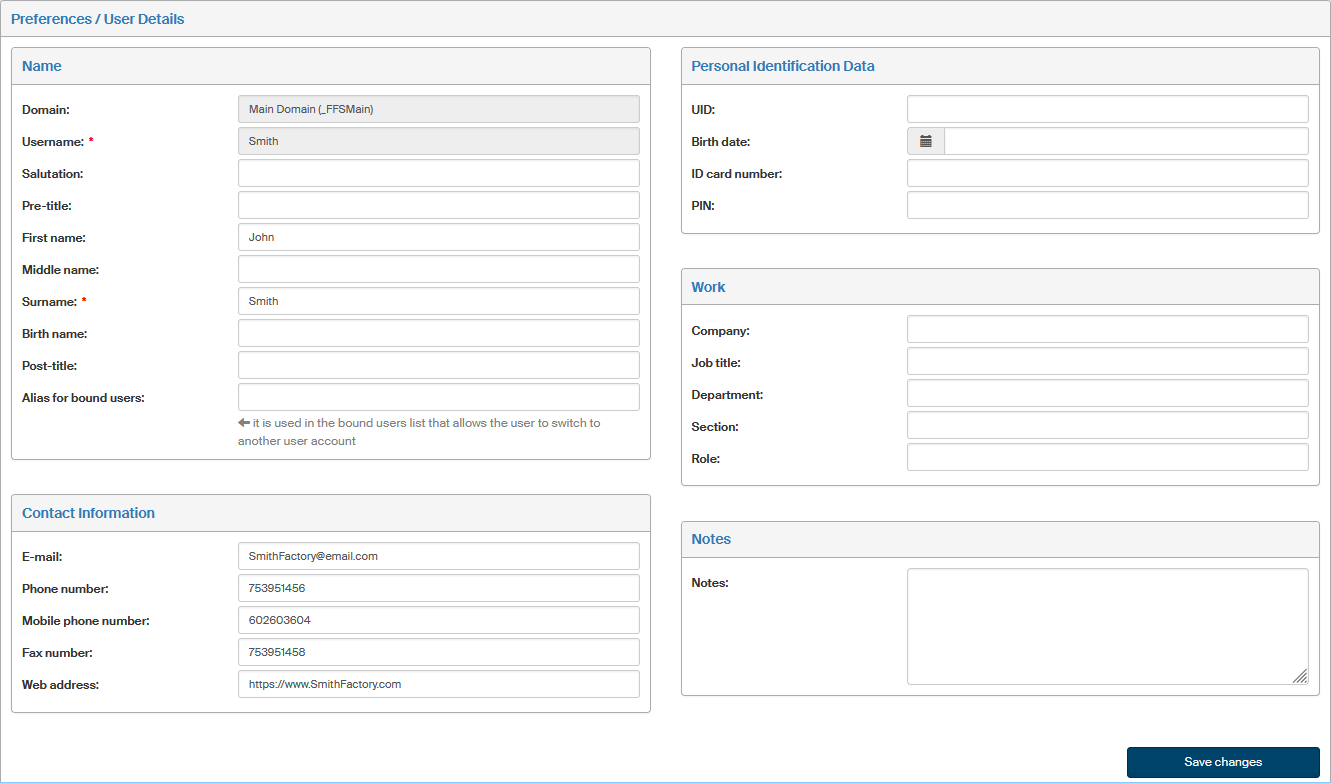
Click User details to open a window that will allow you check and adjust your own personal details. Most of the details are preset and optional. Mandatory fields are marked with a red asterisk.
-
Use the Name section to fill in or edit your identification – mainly the name, including salutation and titles. Details on gray background – for example Login name – cannot be edited and are only displayed for your reference.
-
The section Contact information contains fields for the e-mail address, telephone number, mobile phone number and fax number. Entering your e-mail address is optional but recommended, because this address will be used, for example, to send you a link to create a new password if you forget the original one.
-
Entries in Personal identification details are all optional – they are the date of birth, ID card number and birth number.
-
Entries in the Job section are also optional; they can be used to describe the user’s job placement, department and user role.
-
The section Notes can be used to enter any additional information.
If you change any of the details, do not forget to confirm them by clicking Save changes.