Who can view a document/record
Click the Who can view document/record entry to configure the list of users who can see the list of users and groups who can view the document/record, placed at the end of the document/record’s history.
Check or uncheck Enabled next to each configuration entry to set whether it is in use.
Click  next to any configuration entry to display a help window.
In field id_user_who_view, create a list of users who can see the list of users and groups who can view the document/record, placed at the end of the document/record’s history. The configuration is written in a single array, where the values are ID_USER for the users, who will see, at the end of the document/record history, a list of users and groups who can view the document/record.
If the list contains the value ID_USER = -1, the list of users/groups able to view the document/record will be displayed to all users.
Example configuration where users ID_USER = 4,67,23 are set to see the list of users/groups who can see the document/record, placed at the end of document/record history:
array (4, 67, 23);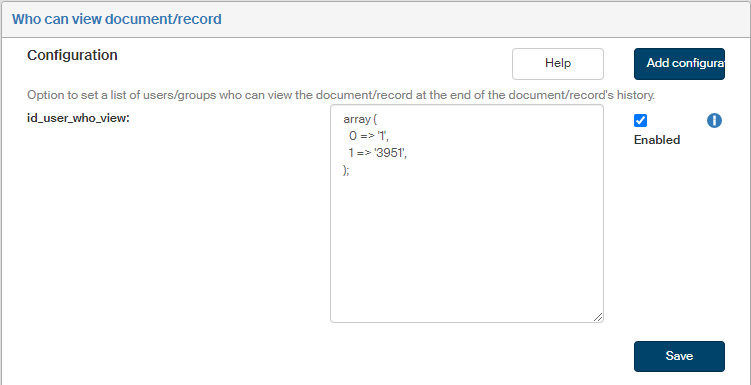
If you are missing a configuration entry from the list, you can add it. Click the Add configuration button in the upper right corner of the screen. The dialog Add configuration is displayed. It is identical to the window displayed and described in the previous chapter.
Enter the Variable name and Variable value. Select the Variable type from the list, the options are the following: Variable, Define and Array.
Then click Save to confirm the new configuration and its changes.