Conversion from electronic to paper form according to §69a
Conversion using the option Conversion from electronic to paper form according to §69a provides conversion of electronic documents to its analog form. The procedure ensures the document’s authenticity, contents inviolation and secure conversion process.
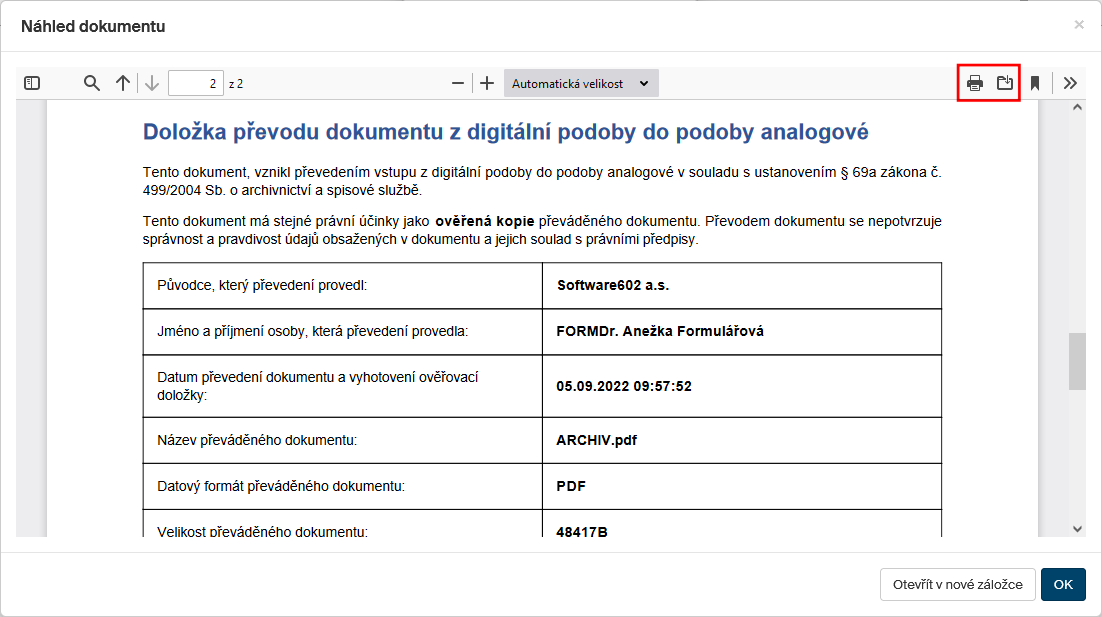
When you have selected the option, FormFlow will convert the document’s electronic form to one suitable for printing and attach a conversion clause for conversion from digital to analog form.
The document, ready to print, is then displayed in Document preview window. Here you can check the converted document visually including the clause and then print the document out or save to your drive as a PDF file.
If the printing was successful, confirm it by clicking Yes in the query window Has the printing completed successfully? If you click No, the Document preview window is displayed again, and you can retry printing.

| The original document in the form is unchanged during the conversion and will not contain the clause. The clause is only included in the printed or saved document. |