DMIS configuration
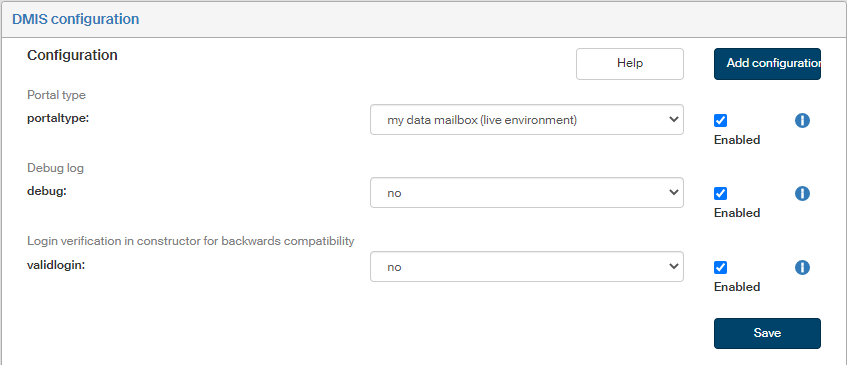
Click DMIS configuration to set up communication with the Data Mailbox Information System.
Check or uncheck Enabled next to each configuration entry to set whether it is in use.
Click  next to any configuration entry to display a help window.
-
Portaltype – select the data mailbox environment to connect to. Available options: czebox (test environment), my data mailbox (live environment), dev-esp1 (test environment), dev-esp2 (pre-live).
-
Debug – enables the debug log for the data mailbox communication library. If you are not debugging communication with data mailboxes right now, select “no”.
-
Validlogin – login verification for the constructor. It is used for backward compatibility, always set to “yes”.
If you are missing a configuration entry from the list, you can add it. Click the Add configuration button in the upper right corner of the screen. The dialog Add configuration is displayed.
Enter the Variable name and Variable value. Select the Variable type from the list, the options are the following: Variable, Define and Array. Check Enabled to put the setting to use immediately.
Then click Save to confirm the new configuration and its changes.