Existing projects
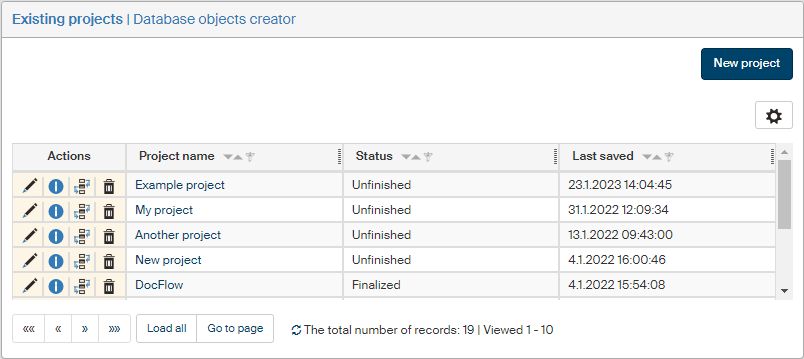
Existing projects are listed in the Existing projects screen, which you can open by going to . Use the buttons in the Actions column to handle the projects.
Editing a project
To edit the project parameters, click  Edit project. The Project screen is then displayed with the project data. You can edit it in the screen the same way as when creating a new project.
Project information
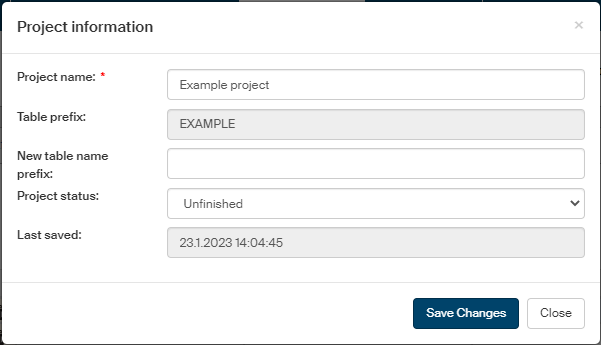
Click  Project information to display a dialog with the same title, containing overall information for the project.
-
Project name – the field displays the current project name. You can edit the name here.
-
Table prefix – read-only field; prefix used for the database table in this project.
-
New table name prefix – you can edit the table prefix in this field.
-
Project status – select the project status in this field. The options are Unfinished and Finalized.
-
Last saved – read-only entry; the date and time when the project was last saved.
If you have changed any of the properties, click Save changes.