Editing entity properties
To edit an entity, select it first on the left in the Entity panel and then, in the Menu, click Subject details. You can edit the entity properties on the right, in section Edit entity.
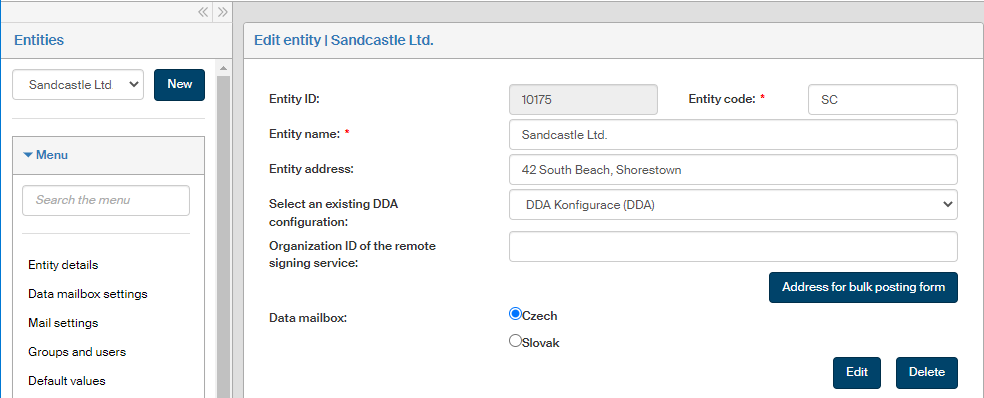
The window contains similar entries to those displayed when creating a new entity. Now you can edit them.
The edit window also displays the Data mailbox switch where you can select whether the associated data mailbox is Czech or Slovak.
Click Edit to save the changes.
To remove an entity, click the Delete button placed on the lower right.
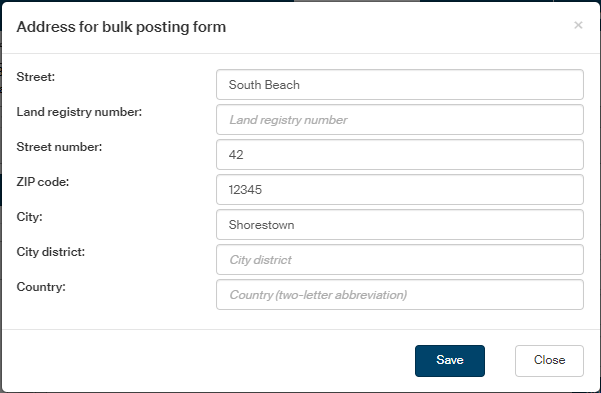
Address for bulk posting form
In addition to the entity creation dialog, this window contains the button Address for bulk posting form. If you are using bulk posting forms, you will need to enter a structured address. Click the button to display a dialog where you can enter the individual address parts: street name, separate street number and land registry numbers, etc. Then click Save to confirm. The details entered in this dialog will be automatically transferred to the single-line Subject address field.