Inserting a new entry
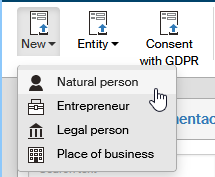
To insert a new contact in the address book, click the New button, located on the far right on the ribbon. A menu is then displayed with contact legal forms (Natural person, Entrepreneur, Legal person, Place of business). Select the corresponding legal form and FormFlow will display a dialog window with contact details.
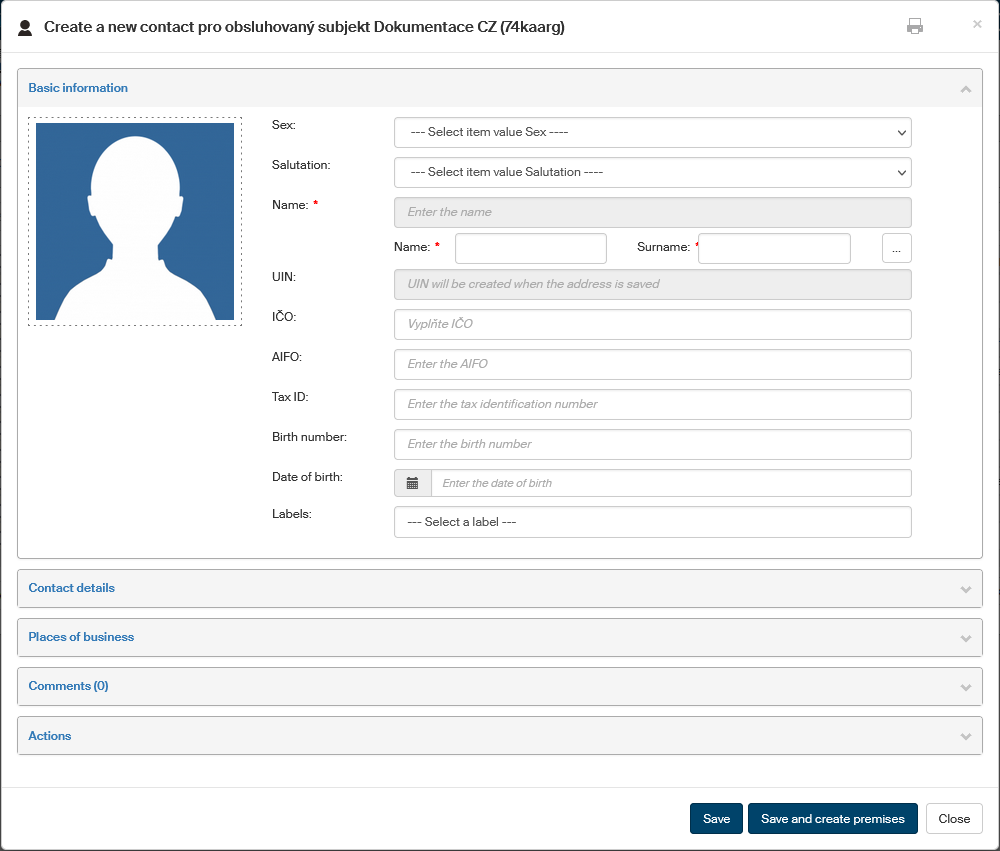
Insert the details. Based on legal form type, the fields Name or Company name are mandatory; enter the rest as you see fit.
-
Click Save to confirm the details.
-
Clicking Save and create premises (for a natural person and entrepreneur) will save the entry and immediately open another form to fill in premises details.
-
If you are inserting a legal person or premises, an additional button, Save and create a representative, is available. Click it to save the new entry and another form immediately opens to create a representative – already linked to the legal person or premises.
-
Or you can click Close to close the window without saving any changes.