Statistics
The Statistics button provides an overview of numbers of documents and records stored in the records management service.
To display data, select one of the options:
-
Records
-
Incoming documents
-
Outgoing documents
-
Internal documents
-
Documents not placed in a record

A table with the corresponding statistics is then displayed.
To narrow down the details, click the Filter button above the list and select additional criteria:
-
Organizational unit – if the records management keeps documents for more than one organizational unit, select one from the list. The statistics will be created only for the documents from the selected organizational unit. This filter item is only available for incoming and outgoing documents.
-
User – select a specific user from the list. The statistics will be created only for the documents or records received, sent or created by the selected user.
-
Registered – select an interval. Only documents or records that were entered in the records management in the given interval will be included in the statistics.
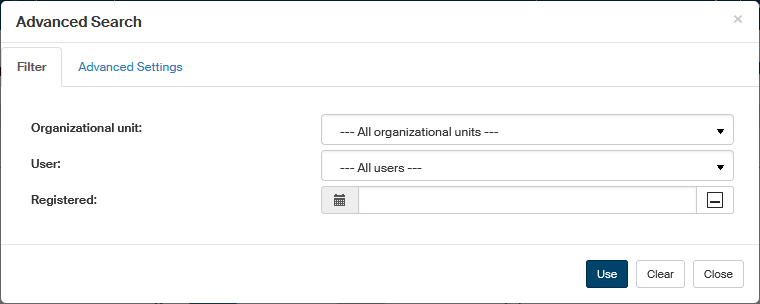
Click Use to confirm the selection and update the statistics table.
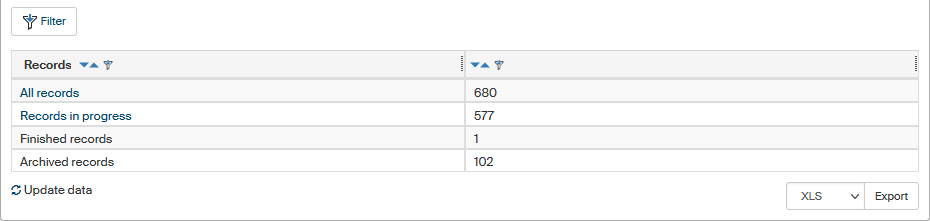
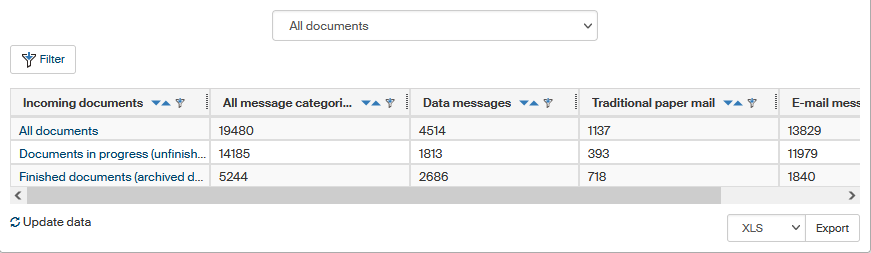
The table contents vary depending on the selected document type or record. For documents, the table rows show their distribution based on the status – total number, documents in progress and finished documents. In addition, outgoing data messages are sorted based on the delivered/received status in the recipient data mailbox. Incoming and Outgoing documents are also sorted in columns based on their sending method.
The record statistics are only sorted based on their status – All records, Records in progress, Finished records and Archived records.