How to get organization’s Tenant ID
To synchronize users of an organization (company) with Sofa, you need to create a connection between Sofa and this organization. For that, you need to know the organization’s Tenant ID. You can find it out in Microsoft Entra admin center.
Open the Microsoft Entra admin center in your web browser at https://entra.microsoft.com.
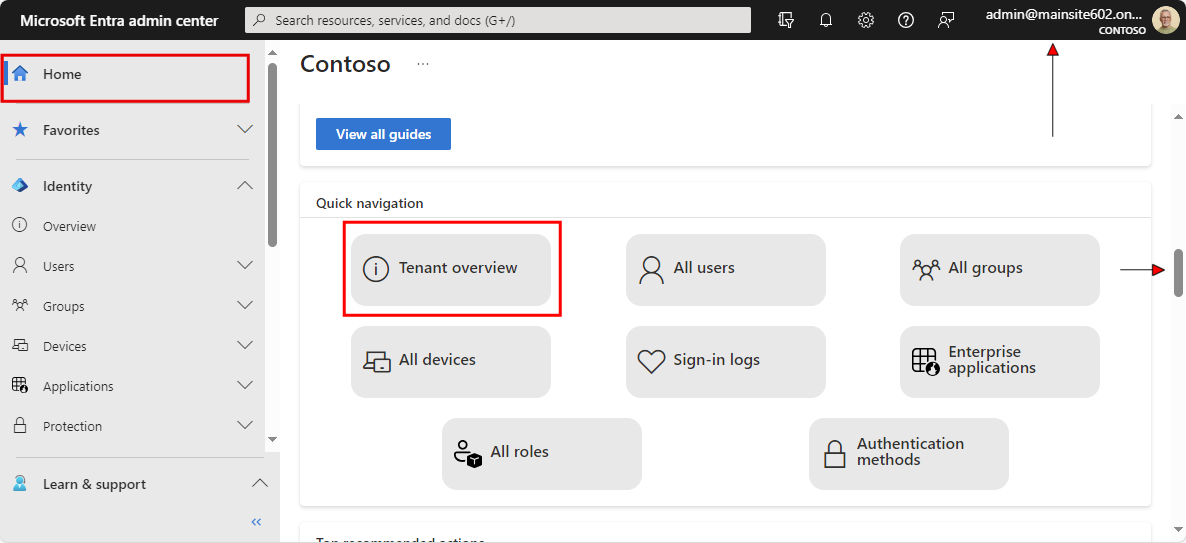
Then log in with the synchronized organization’s user account – the name and password of a user with Global administrator permissions, and other additional (e.g. biometric) details if needed. An overview of the current user is displayed in the upper right corner of the window.
In the Microsoft Entra admin center window, select or keep the Home entry in the left menu. Then the Tenant ID should be visible in the first section on the upper left.
Click Copy to clipboard at the end of the row ( ) to copy the Tenant ID to the Windows clipboard.